
Haedal Shift - Shift Work Calendar
See today’s shift first
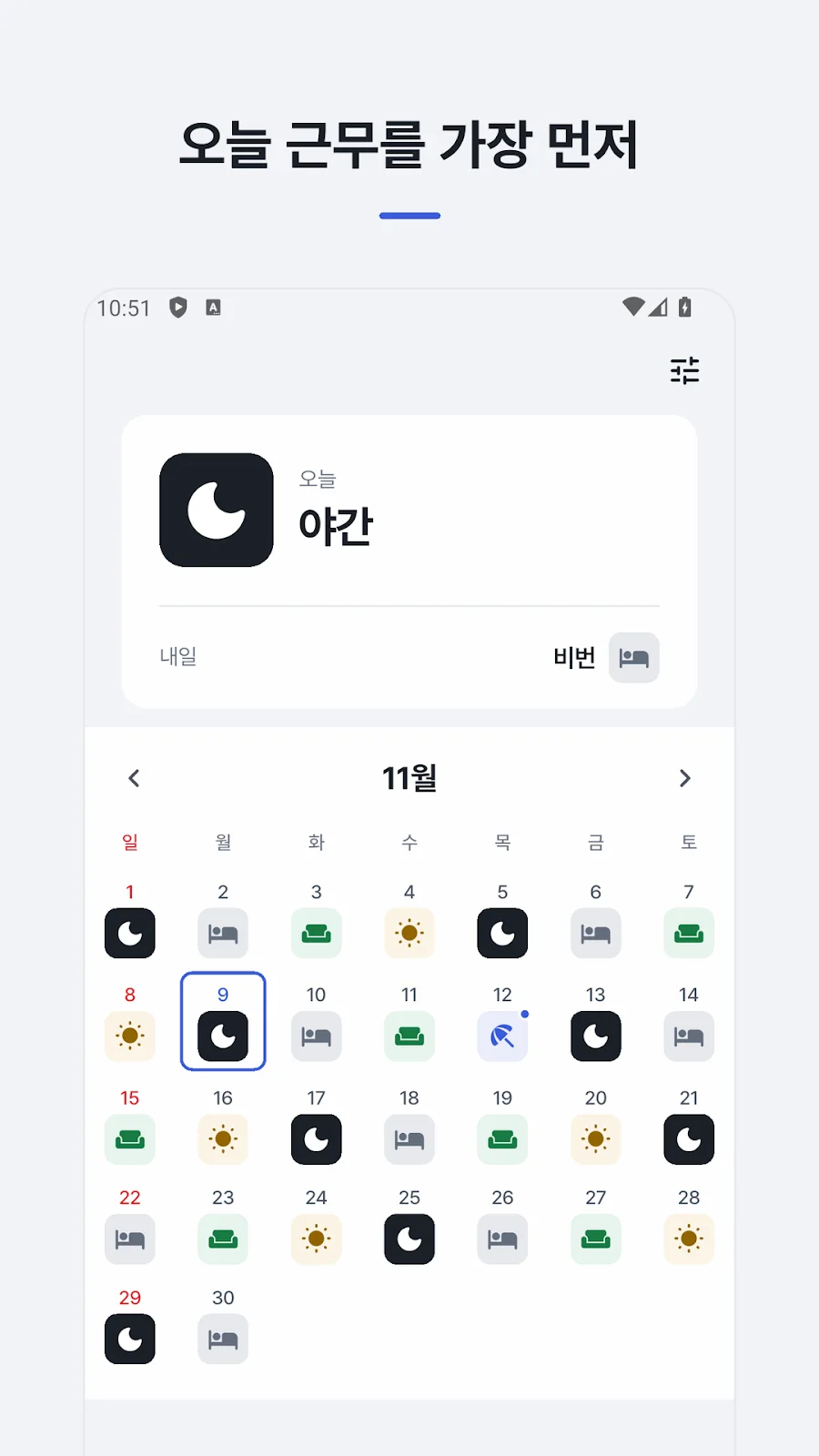
Haedal Shift fills a shift-work calendar from your repeating rotation and today’s position in it. See today’s shift prominently in the app, check today and tomorrow on a home screen widget, and change individual days for leave or shift swaps.
- Android
- Free to download
- No ads
What you can do
Who it is for
For rotating-shift workers, including nurses, who want a personal calendar for repeating day, night and off-duty schedules.
Build a calendar from a rotation
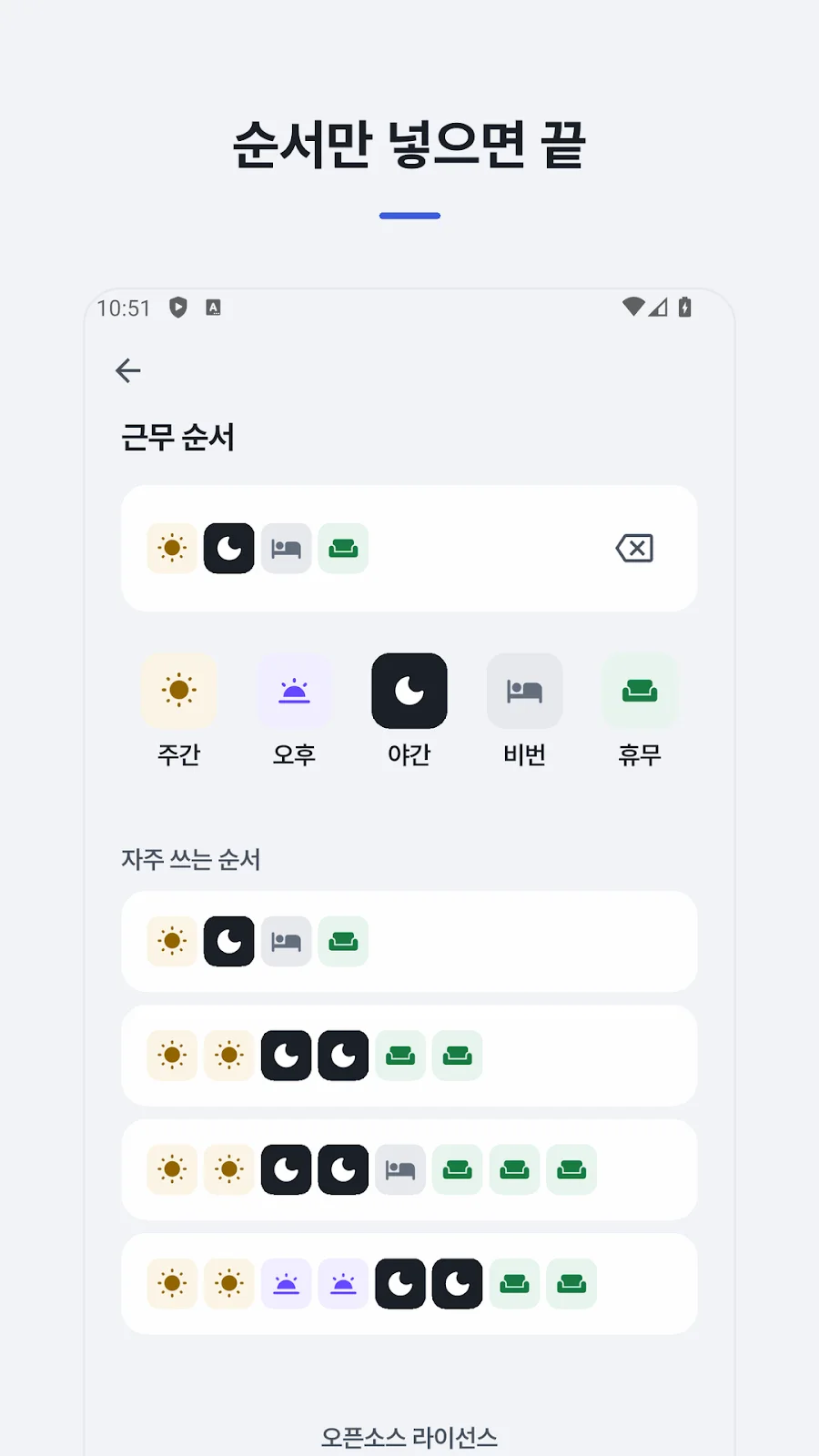
Combine day, afternoon, night, off-duty and rest days into a rotation of up to 56 days. Set today’s position to fill dates before and after it.
Recognize shifts by icon and color
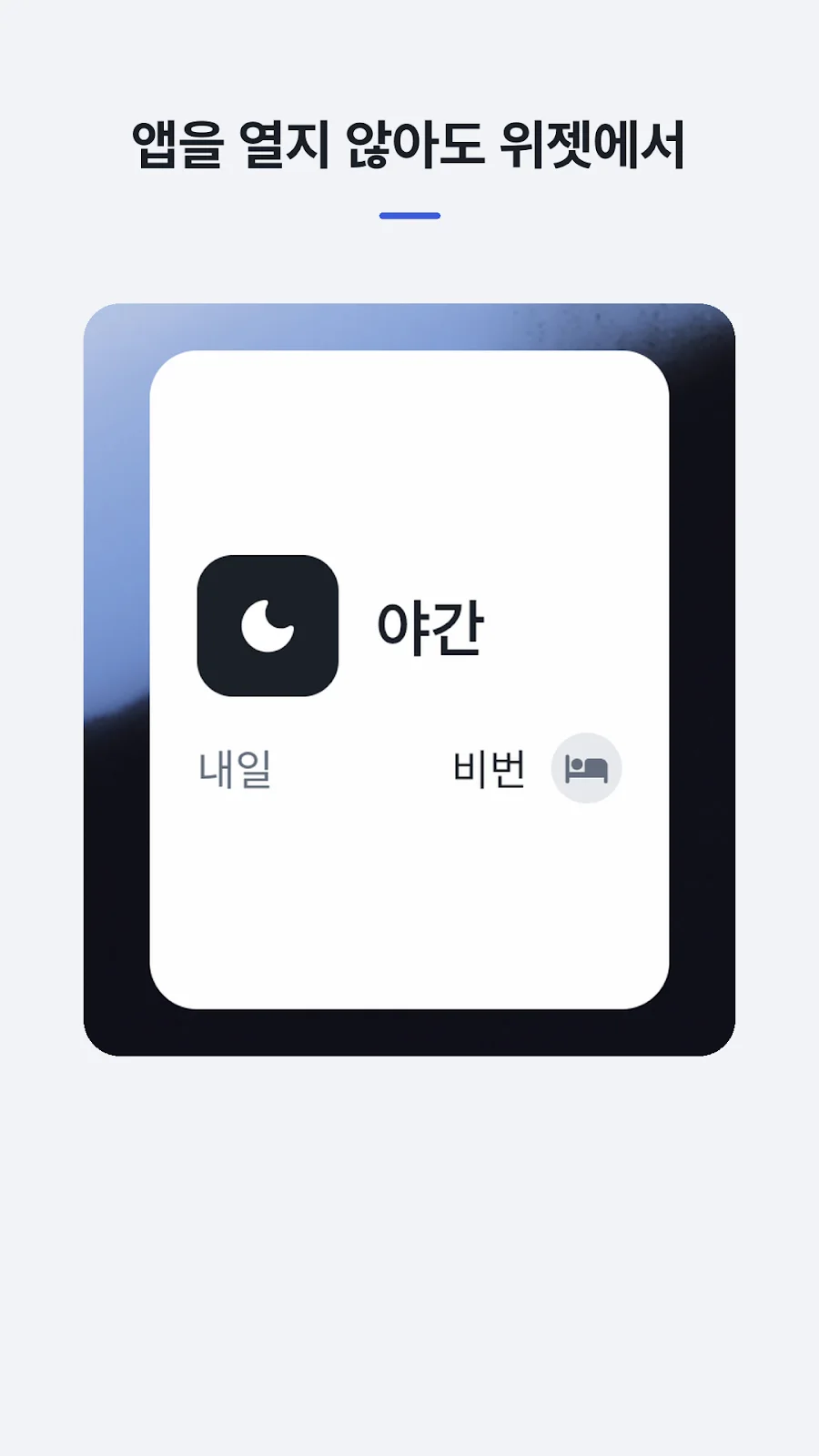
Icons such as a sun, moon or sofa and distinct colors identify shifts. A home screen widget shows today’s and tomorrow’s work.
Change just the affected day
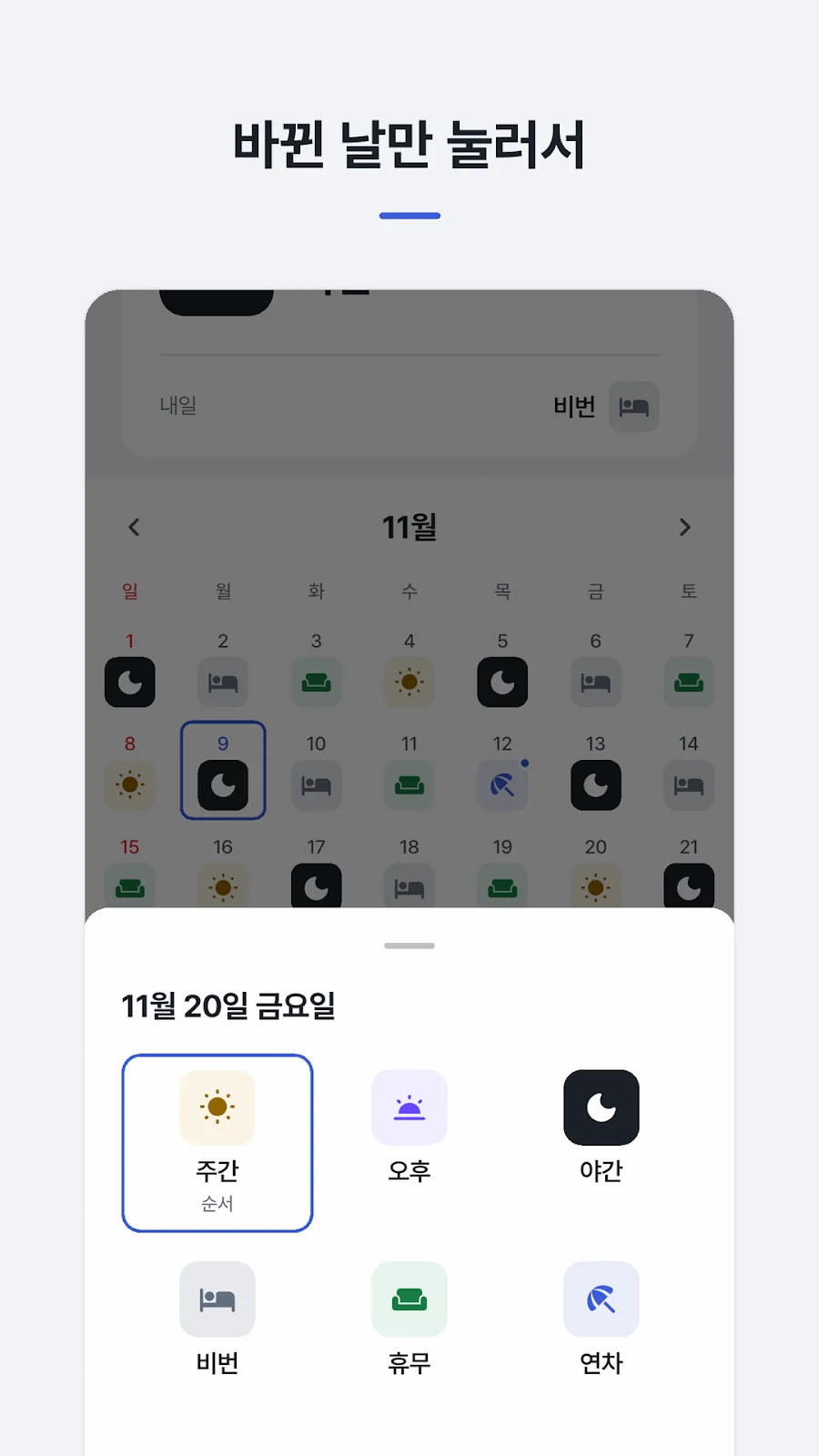
Tap a date to change only that day for leave or a swap. Modified days show a dot; select the original shift to restore it.
Inside the app
Actual app screens published on Google Play.
Getting started
Enter your rotation
Choose a common rotation or tap shift types to build your own repeating sequence.
Match today to the sequence
Choose where today falls in the rotation and check the populated calendar.
Check shifts and update exceptions
Check your schedule in the app or widget and edit individual days for leave or swaps.
Before you install
- Developer
- Blackcow Soft
- Rotation length
- Up to 56 days
- Home screen widget
- Today’s and tomorrow’s shifts
- Connection and storage
- Offline use · on-device storage
- Access
- No ads, sign-up or permission requests
- Published version
- 1.0.0
- Store update
Questions, answered
What shift rotations can I enter?
Build a repeating sequence of up to 56 days for two-shift, three-shift, four-team/two-shift or nursing duty patterns.
Will a shift swap change the whole rotation?
No. Only the selected date changes. Choose its original shift to undo that day’s exception.
Can I check a shift without opening the app?
Yes. The home screen widget shows today and tomorrow and advances when the date changes.
Where is my schedule stored?
Your schedule stays on the device and is not sent to a developer server. Restoration on another phone depends on the phone’s Google backup settings.
See if it fits your next project or play break.
Check Google Play for supported devices and the latest release availability.


