
HyeonDo Pipe Layout & Template
Turn pipe dimensions into flat patterns
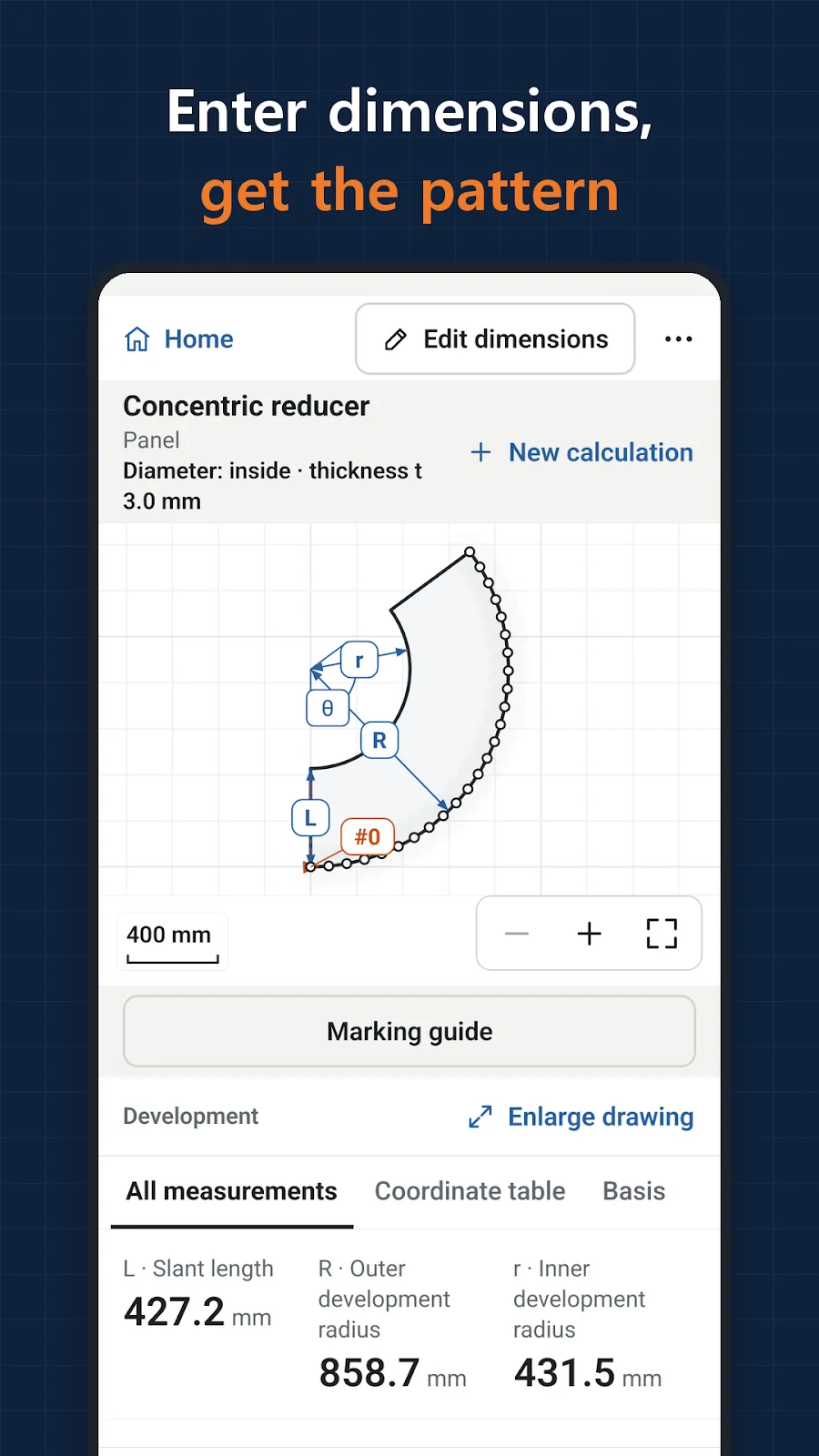
HyeonDo calculates development patterns and marking coordinates for 28 pipe and sheet metal shapes, including reducers, branches, elbows and square-to-round transitions. Enter a shape and dimensions to inspect its drawings, save a job on your device or export PDF, DXF, SVG and CSV files.
- Android
- Free to download
- Contains ads
- In-app purchases
What you can do
Who it is for
For pipe and sheet metal workers who need to inspect cutting lines and coordinates or export a development pattern for fabrication.
28 shapes and field tools
Calculate concentric and eccentric reducers, branches, segmented elbows and transitions. Field tools include offsets, weight and unit conversions, and bolt circles.
Drawings and coordinates in useful formats
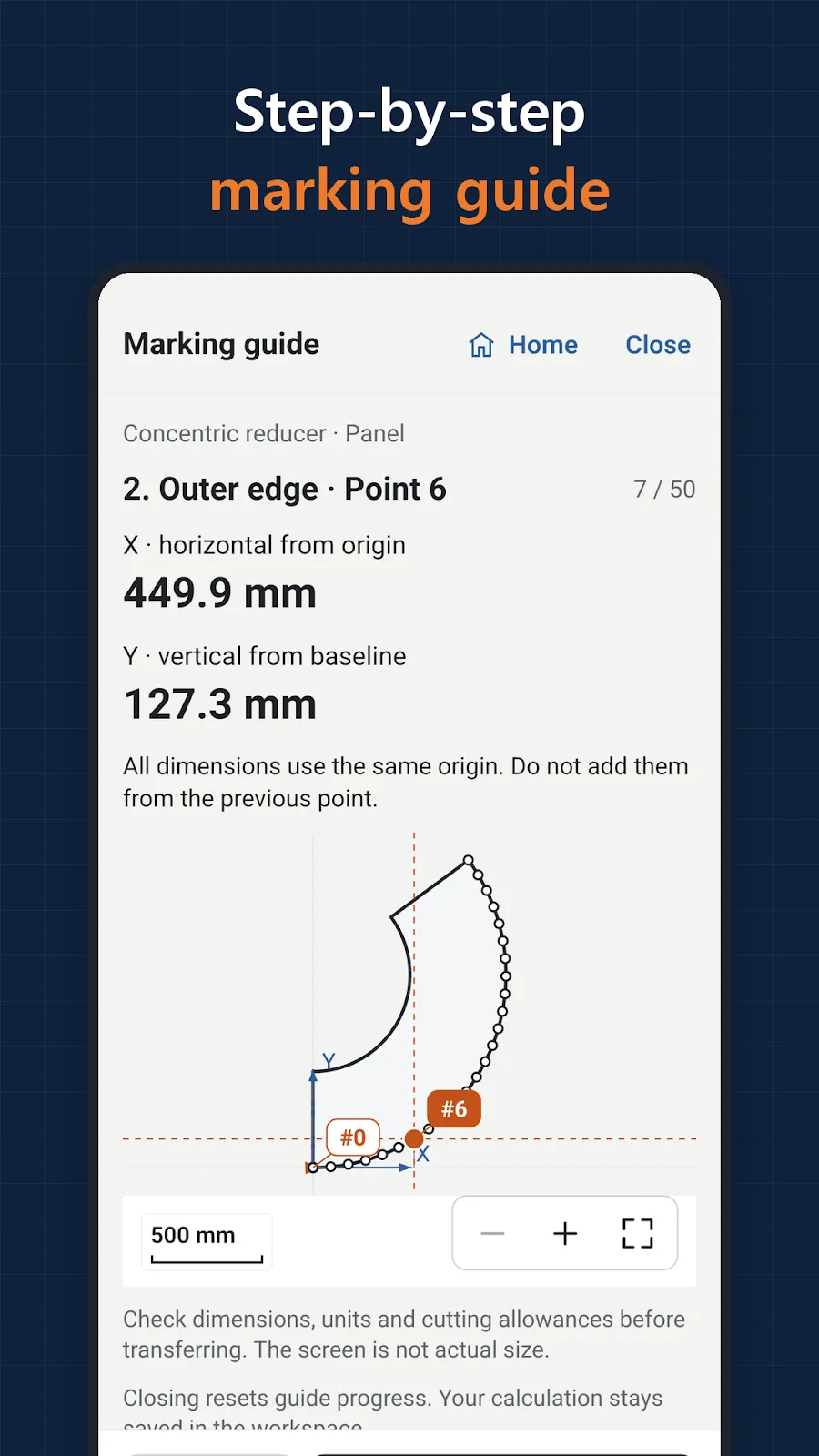
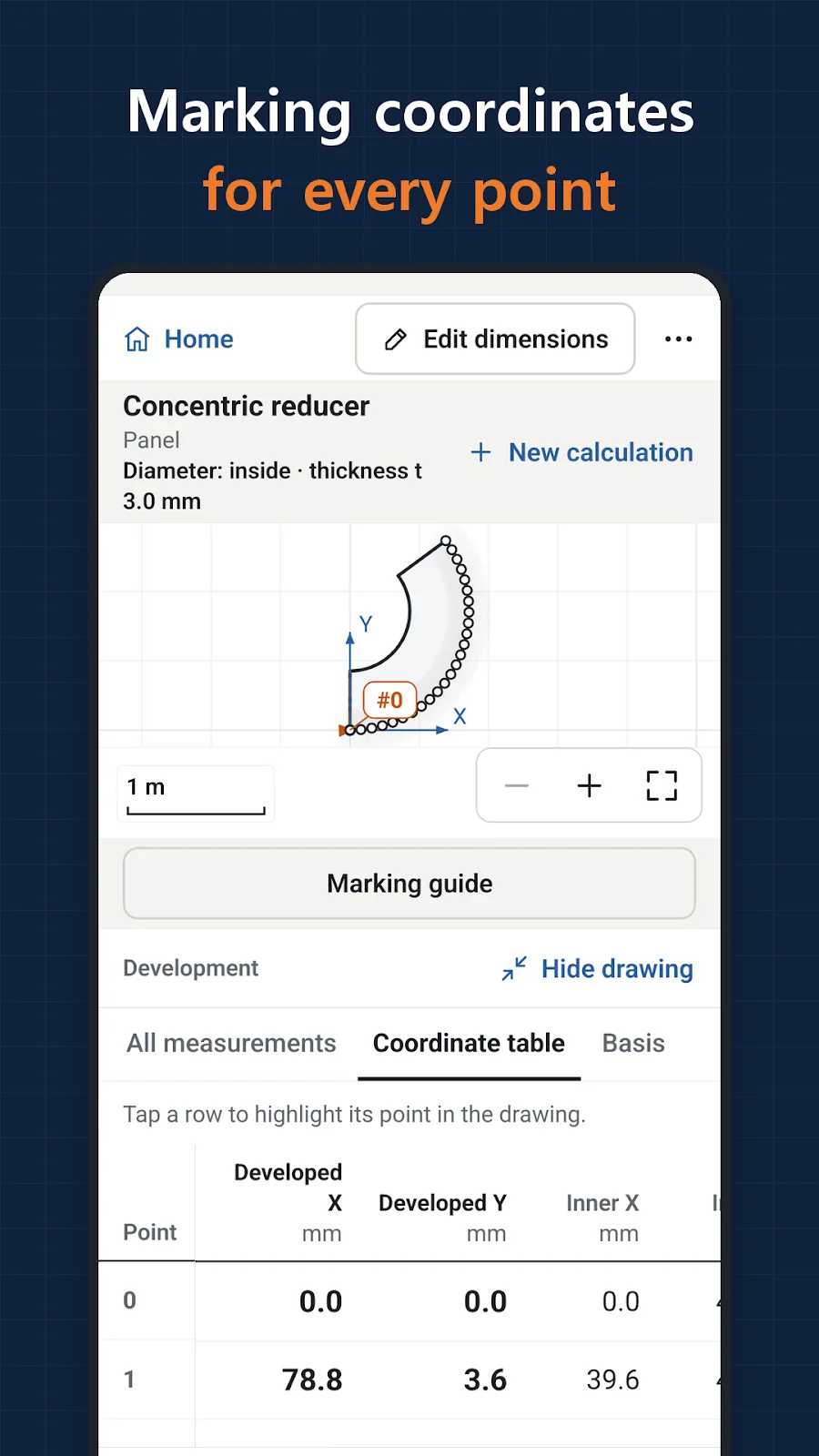
Inspect cutting lines, part drawings and coordinate tables, then generate PDF reports, full-scale tiled PDFs, DXF, SVG and CSV files.
Keep jobs available offline
Save inputs, results, titles, notes and quantities on your device. Use mm or inches and decimal or fractional inputs; calculations, drawings and saving work offline.
Inside the app
Actual app screens published on Google Play.
Getting started
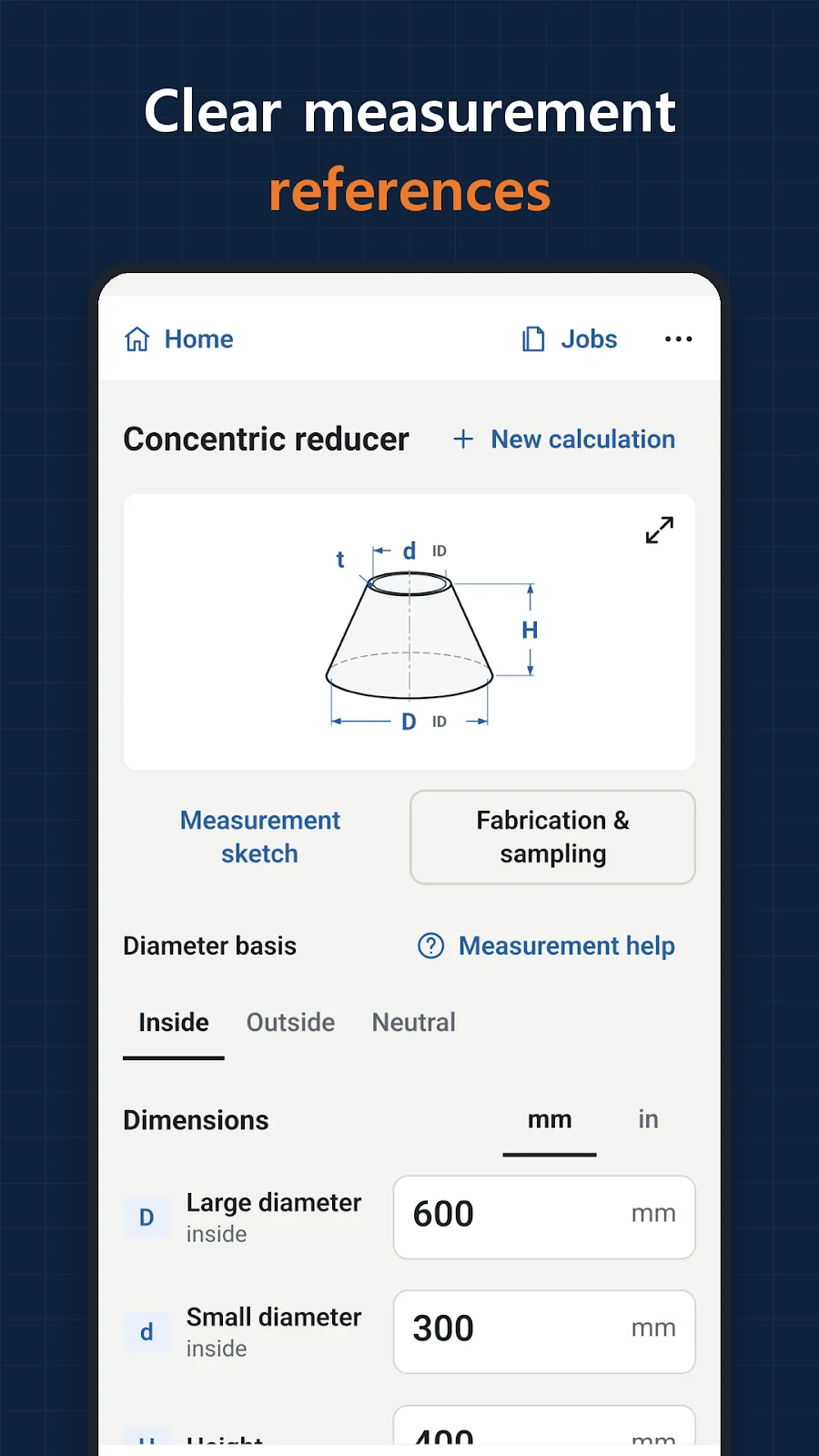
Choose a shape and measurement basis
Select the required shape and check its measurement guidance and calculation assumptions.
Enter dimensions and inspect the drawing
Enter dimensions in the chosen units and review cutting lines, part drawings and marking coordinates.
Save, export and check the scale
Save the job or export the format you need. Print full-scale templates at actual size and verify the check-line length.
Before you install
- Developer
- Blackcow Soft
- Supported shapes
- 28 pipe and sheet metal shapes
- Export formats
- PDF · DXF · SVG · CSV
- Dimension inputs
- mm and inches · decimals and fractions
- Access
- Free with ads · one-time ad removal purchase
- Published version
- 1.0.1
- Store update
Questions, answered
Which pipe patterns can I calculate?
The 28 supported shapes include reducers, cones, branches, oblique cuts, segmented elbows, square-to-round transitions, cylinders and sphere or cap gores.
Can I use it without an internet connection?
Calculations, drawings and job saving work offline. Ads require internet, and file transfers depend on the app you choose for sharing.
Can I export a full-scale template or CAD file?
Yes. Exports include full-scale tiled PDF and DXF, along with PDF reports, SVG and CSV. Print templates at actual size and verify the check line.
Can I remove the ads?
Yes. The free app includes ads, with a one-time ad removal purchase available in settings.
See if it fits your next project or play break.
Check Google Play for supported devices and the latest release availability.


